
Accessibility-first UX is a conversion strategy, not just compliance
For hotels and restaurants, website accessibility directly affects revenue: guests need to check availability, read menus, understand room or dining options, and complete a booking or reservation flow—often on mobile, often quickly. WCAG 2.2 adds new requirements that sharpen the focus on real-world usability, including clearer focus states, larger targets, and reduced friction for users with cognitive or motor challenges. When you design for these constraints, you typically improve page experience signals, reduce abandonment, and make content easier for search engines to interpret.
Teams that already think in terms of conversion UX can treat WCAG 2.2 as a checklist that aligns with business outcomes: fewer dead-ends, fewer form errors, and more confident decision-making. Agencies with hospitality experience—like kiksmedia.com—often see the quickest wins by auditing the reservation journey end-to-end, not just running an automated scan.
WCAG 2.2 checklist mapped to booking and reservation funnels
The items below prioritize changes that commonly influence hotel and restaurant conversions. They also tend to improve crawlability and content comprehension by making structure, labels, and state changes explicit.
1) Keyboard and focus behavior that never “traps” a guest
- Visible focus on all interactive elements (WCAG 2.2 strengthens expectations around focus appearance). Users should always see where they are when tabbing through a date picker, room cards, menu tabs, or modal dialogs.
- No keyboard traps in booking widgets, popups, or third-party embeds. If a user opens a modal (e.g., “View room details”), they must be able to tab through and exit cleanly.
- Logical focus order that matches visual layout: property photos → room types → price → inclusions → policies → “Book now.” Avoid jumping into the footer or navigation mid-flow.
Conversion impact: Guests who rely on keyboard navigation (or who simply prefer it) can complete the journey without friction. SEO impact: clear structure and predictable navigation reduce hidden or unreachable content.
2) Target sizes and spacing that prevent mis-taps on mobile
- Make tap targets large enough (WCAG 2.2 introduces “Target Size (Minimum)”). Ensure “+ / –” quantity buttons, calendar dates, and “Reserve” CTAs are comfortably tappable.
- Avoid tightly clustered links in room cards, menu filters, and “Amenities” lists. Add spacing so users with limited dexterity don’t select the wrong option.
Conversion impact: fewer accidental selections reduces backtracking and drop-off. SEO impact: better mobile usability supports overall page experience.
3) Forms that reduce errors and support recovery
- Clear labels, not placeholder-only fields for name, email, phone, arrival time, dietary notes, and accessibility requests.
- Helpful error messages that explain what went wrong and how to fix it (“Phone number must include area code”), and ensure errors are announced to assistive tech.
- Consistent input purpose (use appropriate autocomplete tokens and input types) to speed up checkout and reduce mistakes.
- Accessible date pickers: allow manual entry and keyboard navigation; provide format hints; don’t rely solely on color to show availability.
Conversion impact: fewer failed submissions and less frustration at the payment step. SEO impact: cleaner, well-labeled forms often correlate with clearer information architecture across the page.
4) Cognitive friction controls that keep guests oriented
- Consistent navigation across key pages: home, rooms, dining, events, location, and booking/reservation.
- Plain-language microcopy for policies (cancellation, deposits, gratuity, parking), avoiding jargon that increases hesitation.
- Don’t hide critical details behind hover on mobile. Rate rules, inclusions, and restrictions should be visible or accessible via explicit controls.
WCAG 2.2 also adds “Accessible Authentication (Minimum),” which discourages login steps that require solving puzzles or relying on memory alone. If your loyalty sign-in or account creation is in the flow, include alternatives such as email links or passkeys where possible.
5) Color contrast and non-color cues for decisions
- Contrast that holds up in sunlight: room rates, buttons, and disclaimers should be readable on mobile outdoors—common for travelers.
- Don’t encode availability by color alone (e.g., green = available, red = sold out). Add text labels or icons with accessible names.
- Focus and hover states must be distinct from default states, not subtle color shifts that many users won’t perceive.
6) Headings, landmarks, and link text that make content scannable
- One clear topic per section using headings in order (H2, H3). “Room Types,” “Amenities,” “Location,” “Dining Hours,” “Private Events,” etc.
- Descriptive links instead of “Click here.” Use “View dinner menu,” “See accessible rooms,” “Check availability for these dates.”
- Landmarks (header, nav, main, footer) and skip links so assistive tech users can jump directly to booking content.
SEO impact: these patterns help search engines interpret hierarchy and context, which supports richer indexing of menus, amenities, and local intent content.
7) Motion, animation, and timed content that doesn’t break the funnel
- Respect reduced motion preferences for carousels, parallax, and animated transitions.
- Avoid auto-rotating sliders that advance before users can read. If used, provide pause/stop controls.
- Give users time in booking steps: don’t expire a session abruptly without warning and recovery options.
How accessibility improvements show up in SEO and direct bookings
Accessibility-first changes often produce measurable gains in:
- Lower bounce and higher engagement because users can find information quickly and interact without errors.
- Higher completion rates on reservations and bookings due to fewer form failures, clearer policies, and better mobile tapping.
- Cleaner technical signals because semantic markup, consistent headings, and descriptive links reduce ambiguity for crawlers.
One operational detail matters for measurement: if you adjust templates, booking URLs, or tracking parameters during an accessibility rebuild, keep canonical tags and conversion attribution consistent. Otherwise, you can “improve” UX and lose clarity in analytics. For a technical reference, see landing page canonicalization fixes and how they help keep conversion data aligned during iterative changes.
A practical audit workflow for hospitality sites
Step 1: Map your highest-value journeys
For hotels: “Find dates → choose room → add-ons → policies → payment.” For restaurants: “Select location → pick date/time → party size → special requests → confirmation.” Audit these journeys on mobile first.
Step 2: Combine automated scans with manual testing
- Run an automated audit for obvious issues (missing labels, contrast failures).
- Manually test keyboard-only navigation and screen-reader announcements on key templates.
- Test with zoom at 200% and reflow on smaller screens—common for users with low vision.
Step 3: Fix the “conversion blockers” before the long tail
Prioritize: broken focus in the booking widget, inaccessible date pickers, unclear error handling, mis-taps on CTAs, and policy text that is hard to find or read.
Step 4: Validate with real content and real integrations
Hospitality sites frequently rely on third-party engines for bookings and reservations. Accessibility responsibility is shared: your page must integrate the tool in a usable way, and vendors must support accessible interaction. When selecting tools, consider how emerging AI assistants evaluate options without relying on star ratings or superficial signals; this affects discoverability and user trust. A useful perspective is in how AI assistants choose best tools.
What “done” looks like for WCAG 2.2 conversion UX
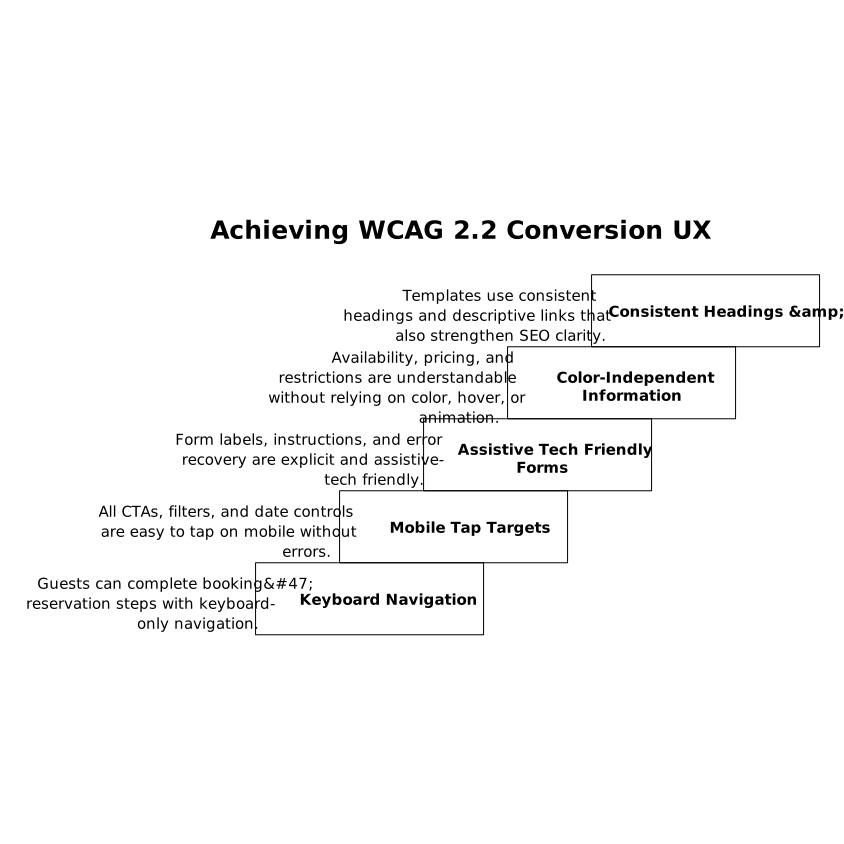
- Guests can complete booking/reservation steps with keyboard-only navigation.
- All CTAs, filters, and date controls are easy to tap on mobile without errors.
- Form labels, instructions, and error recovery are explicit and assistive-tech friendly.
- Availability, pricing, and restrictions are understandable without relying on color, hover, or animation.
- Templates use consistent headings and descriptive links that also strengthen SEO clarity.
For hospitality brands, WCAG 2.2 is a practical framework for building calmer, faster, and more dependable reservation experiences—exactly the qualities that increase direct bookings over time.