
Why reply separator leakage matters during warmup
Warmup programs try to create consistent, low-friction engagement: short messages, plausible back-and-forth, and a steady increase in volume. Reply separator leakage breaks that model. It happens when a “reply” unintentionally includes the full prior thread (sometimes multiple threads) along with long signatures, legal disclaimers, tracking blocks, or inline images. Instead of a lightweight reply, mailbox providers receive a growing blob of repeated content.
During warmup, Gmail and Microsoft 365 are especially sensitive to patterns that look automated or wasteful. When every reply balloons in size and repeats the same footer blocks, it can resemble template-driven mail, noisy mailing-list behavior, or low-quality conversational traffic. Even if your sender reputation is improving, thread bloat can raise friction in filtering and rate controls, which shows up as throttling, delayed delivery, or messages landing outside the primary inbox.
What “separator leakage” looks like in practice
Most email clients insert markers that separate the newest reply from quoted history. Common examples include the classic “On [date], [name] wrote:” line, blocks prefixed with “>”, or hidden HTML containers. Leakage occurs when:
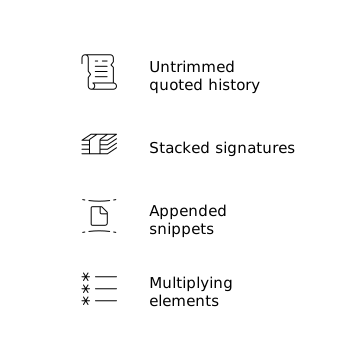
- Your system replies with the entire quoted history instead of trimming it.
- The reply includes multiple previous signatures and disclaimers stacked repeatedly.
- Forwarded content or external-thread snippets get appended each time.
- Mobile signatures, calendar links, and tracking pixels multiply across replies.
In warmup networks, those effects compound quickly because the same accounts interact repeatedly. A thread that should remain a few KB can become tens or hundreds of KB. That shift alone can change how providers classify the traffic.
How full history and signatures can trigger throttling signals
1) Rapidly increasing message size and repeated text blocks
Warmup is meant to ramp volume gradually; thread bloat creates an additional ramp in payload size. Large, repetitive messages can look like low-value automation. Repeated blocks (disclaimers, banners, “book a meeting” widgets) also reduce content diversity across your outbound traffic, which can make a domain or mailbox look less organic.
2) Low “meaningful reply” characteristics
Mailbox providers don’t disclose exact scoring, but they do evaluate engagement quality. Replies that are mostly quoted content and boilerplate can be treated as less meaningful than short, original text. If your warmup “replies” are 90% historical content, the engagement may not carry the same reputation benefit—and could introduce negative signals if the pattern is consistent.
3) Header and threading anomalies
When replies are generated by tools or APIs, subtle formatting issues can emerge: missing or inconsistent In-Reply-To and References headers, unusual MIME boundaries, or mixed plain-text/HTML parts that change every send. Combine that with big quoted blocks and you can end up with threads that look like they were stitched together rather than naturally composed.
4) Riskier content surfaces inside the quoted section
Quoted history often contains items you wouldn’t include in a new outbound email: older URLs, tracking parameters, unsubscribe-like language, or previously forwarded material. Even if your newest reply is clean, the full payload still contains those elements. During warmup, that extra surface area increases the chance that filters or rate controls are triggered.
Why Gmail and Microsoft 365 warmup behavior can be different
In Gmail, thread behavior and conversation grouping are deeply integrated into the user experience, and heavy repetition can stand out quickly. In Microsoft 365 (and Outlook clients), large signatures and corporate disclaimers are common, but throttling can appear when automated conversational patterns produce consistent bloat across many messages. The key point is that both ecosystems can react poorly when a warmup stream looks less like human conversation and more like repetitive, expanding payload delivery.
How to prevent reply separator leakage without breaking real workflows
Trim quoted history aggressively in warmup replies
For warmup traffic, aim for short replies that include only the new message content. If you must quote, keep it to a minimal excerpt (one or two lines). In many setups, this means configuring the sending system or warmup tool to avoid “reply with full thread” defaults.
Use a lightweight warmup signature (or none)
Signatures are normal, but in warmup they can become a repeating pattern across every message. A long, branded signature plus a legal disclaimer multiplies quickly inside a thread. Consider:
- Shortening signatures for warmup accounts.
- Removing banners and images.
- Dropping lengthy disclaimers when possible (or keeping a single-line version).
This reduces repeated text blocks and keeps the reply-to-reply growth under control.
Prefer plain-text or simple HTML
Complex HTML (multiple nested tables, inline styles, tracking pixels, embedded images) makes each reply heavier and less consistent across clients. A simple format reduces accidental duplication and keeps MIME structures predictable—useful during a period when you’re trying to build trust signals steadily.
Watch for “hidden” additions from tools
Calendar widgets, meeting links, UTM-tagged URLs, and CRM footers can be appended automatically. When they end up in the quoted portion, they repeat. If you rely on outbound tooling, audit what gets injected and decide what to disable during warmup. If you’re also trying to understand why warmup engagement looks weaker than expected, it helps to remember that some user interactions don’t register as classic opens—preview panes and notifications can create blind spots. The underlying dynamic is explained in why warmup can miss engagement signals in preview panes and notifications.
Operational checks to catch throttling early
Track payload size and thread depth
Before you chase domain reputation problems, measure the basics: average message size, size growth per reply, and how many replies happen per thread. A sudden spike often correlates with reply history being included.
Look for delayed delivery patterns
Throttling often looks like increasing latency: messages eventually arrive, but later than usual. If delays correlate with larger replies or specific thread types, treat that as a formatting problem first, not a volume problem.
Reduce variance during ramp-up
Warmup works best when variables change slowly. If you increase volume while also changing templates, signatures, and tooling, it becomes hard to isolate the cause of throttling. A “constraint-first” approach—limiting what can change during the ramp—tends to produce clearer results, similar to how constrained automation improves outcomes in other domains (see constraint-first AI agents for refund negotiation for the general principle).
Where mailwarm fits into a cleaner warmup setup
Because warmup is fundamentally about building reputation through realistic engagement, the mechanics of replies matter. A platform like mailwarm is designed around generating authentic engagement signals across Gmail, Outlook/Microsoft 365, Yahoo, and custom SMTP inboxes, which is useful when you want warmup activity to resemble normal human inbox behavior rather than inflated, repetitive threads.
Even with a strong warmup platform, it’s worth treating reply separator leakage as a first-order deliverability risk: the more your warmup replies look like concise human responses, the less likely you are to trigger avoidable throttling while your sending reputation is still forming.