
The recipient engagement blind spot that breaks many warmup assumptions
Email warmup is usually explained as a simple loop: send messages, get opens and replies, build reputation. That model mostly works when engagement is recorded in the way senders expect. The problem is that a growing share of “reading” happens without the classic open event: in Outlook preview panes, Windows and mobile notifications, and client-side privacy behaviors that change how pixels load.
This creates a blind spot for both Google and Microsoft ecosystems: a real person can read and even act on an email while the sender sees little or no “recipient engagement.” For warmup programs that equate progress with open counts, this mismatch can cause false negatives (thinking a mailbox is cold when it’s not) and misleading positives (believing opens reflect true reading when they may not).
What an “open” really measures in 2026
Most senders still rely on a tracking pixel. The pixel loads when the email client renders remote images. That is not the same as “a human read the email,” and it’s increasingly disconnected from it. Common reasons include:
- Preview panes: Some clients show a readable portion of the email without triggering a pixel load in a consistent way, depending on image settings and rendering behavior.
- Notification surfaces: On mobile and desktop, a user can read the subject, preheader, and sometimes a large excerpt directly in notifications.
- Image blocking and safe rendering: Corporate policies and client defaults often block remote images, turning “open tracking” into “image loading tracking.”
- Proxying and caching: When images are fetched through intermediaries, “opens” can occur in batches or from locations that don’t map cleanly to individual reading.
In practice, a warmup plan that chases open-rate milestones can end up optimizing for pixel behavior rather than genuine inbox trust signals.
How the blind spot shows up in Gmail and Outlook realities
Gmail: engagement is broader than the pixel
In Gmail, engagement is often inferred from a mix of behaviors: keeping messages in the inbox, replying, moving messages, starring, and other interactions. A warmup system that only checks opens may miss the signals that matter most. Users reading via notifications and then replying later can be “high intent” while remaining “low open” in your dashboard.
Microsoft 365 and Outlook: preview panes and enterprise settings
Outlook’s preview pane is a classic source of measurement confusion. In many organizations, remote images are blocked by default, especially for external senders. So the recipient may read the full text content in the reading pane, but the tracking pixel never loads. The sender interprets that as “no engagement,” while Microsoft’s filtering systems may still see healthy behavior (or at least not see negative behavior like rapid deletes and spam complaints).
This gap matters during warmup because early-stage sending is fragile. If your program ramps volume based on open metrics, you can mistakenly accelerate (thinking engagement is high) or stall (thinking engagement is low) based on measurement artifacts.
Why warmup tools can fail when they treat opens as the primary KPI
Email warmup tools exist to build sender reputation gradually by generating positive inbox interactions. The failure mode isn’t the idea of warmup; it’s the scoring model. When a platform’s “success” score is dominated by opens, several problems follow:
- Wrong feedback loop: You tune subject lines and send timing for pixel loading instead of for real responses and inbox placement.
- Unstable ramp decisions: Volume increases are triggered by noisy signals. That can lead to sudden inbox-to-spam swings that look “random.”
- False diagnostics: Teams chase deliverability fixes that don’t address the actual constraint (authentication, complaint rates, list quality, or inconsistent user actions).
A more resilient approach treats opens as one weak signal among many, and focuses on actions that mailbox providers can interpret as positive behavior.
Engagement signals that matter even when opens don’t register
If opens are unreliable, what should warmup and deliverability teams pay attention to? The most useful signals are those tied to recipient intent and mailbox-provider trust.
Replies and conversational patterns
Replies remain one of the strongest indicators of legitimate email relationships. They also create natural threading and ongoing interaction, which tends to align with how real inboxes behave.
Inbox placement and “staying power”
Whether a message lands in Inbox vs Spam is the practical outcome warmup tries to improve. Track placement directly where possible rather than inferring it from opens.
User-driven moves and rescues
Moves out of spam, adding a sender to contacts, starring, or marking “not junk” are high-signal events. They matter even if the message was read in a preview pane without loading images.
Deletion patterns and complaint signals
Rapid deletions without reading, spam complaints, and ignoring messages over time are negative. A warmup plan that generates a steady baseline of positive interaction helps counterbalance these risks.
How to adapt warmup strategy to the preview-pane and notification era
The goal is not to eliminate opens from reporting, but to stop letting them drive critical decisions.
1) Separate measurement from deliverability decisions
Use opens as a directional metric, not a gate. When deciding whether to ramp volume, prioritize placement checks, bounces, and complaint indicators.
2) Design warmup messages for real reading surfaces
Since many users first see your email in a notification, optimize the subject and preheader for clarity rather than for “open curiosity.” Keep above-the-fold text meaningful in preview panes, because that’s often the actual reading experience.
3) Use a warmup system that generates diverse, human-like interactions
Effective warmup should simulate the broad set of behaviors mailbox providers associate with legitimate communication: opens where applicable, but also replies, thread continuity, and spam recovery actions. Platforms like mailwarm are built around generating authentic engagement signals across Gmail, Outlook/Microsoft 365, Yahoo, and custom SMTP inboxes using real accounts, which helps reduce the risk of optimizing for a single fragile metric.
4) Keep your tracking and landing experience consistent
When teams chase engagement, they often change links, domains, or redirect patterns quickly. That can create reporting inconsistencies and make debugging harder. If you’re also seeing conversion attribution drift during deliverability work, it’s worth aligning your tracking URLs and canonical behavior; the same “measurement mismatch” problem shows up on-site as well. For a practical example, see this guide on landing page canonicalization and how it can keep conversion data consistent.
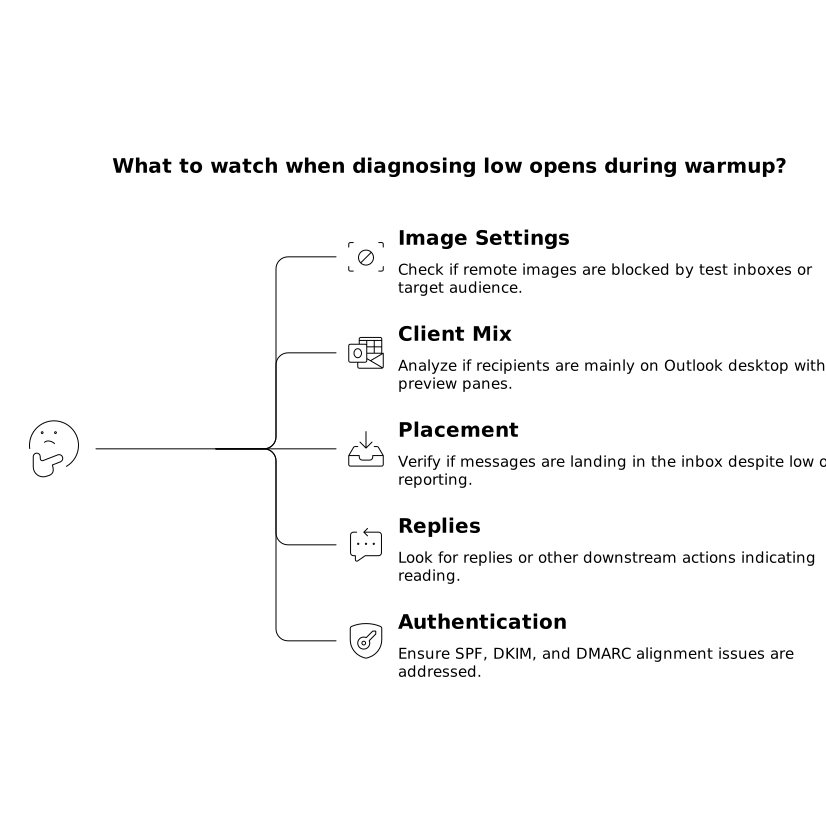
What to watch when diagnosing “low opens” during warmup
Low reported opens are not automatically a deliverability failure. Before changing your ramp or rewriting everything, check:
- Image settings: Are your test inboxes or target audience likely blocking remote images?
- Client mix: Are recipients mainly on Outlook desktop with preview panes?
- Placement: Are messages actually landing in inbox despite low open reporting?
- Replies: Are you seeing replies or other downstream actions that indicate reading?
- Authentication stability: SPF, DKIM, and DMARC alignment issues can distort outcomes long before “engagement” metrics explain anything.
Warmup works best when it’s treated as reputation management, not as a scoreboard for opens. The more your program reflects how people actually consume email—quick reads in notifications, scanning in preview panes, replying later—the more stable your inbox placement becomes.