
What the pairing warm-start protocol is
The pairing warm-start protocol is a lightweight, repeatable way to start a remote pairing session with a development environment that’s already working—without asking your partner to clone repos, install toolchains, or inherit your secrets. In practice, it’s a checklist that separates “what must be shared to collaborate” from “what must never leave the host machine,” then uses a few defaults so you can go from invite link to productive edits in about a minute.
This matters because most pairing friction isn’t about code. It’s about environment drift (different SDKs, different shells, missing services) and about accidental exposure (API keys in a terminal scrollback, password prompts, private notifications). A warm-start aims to reduce both at once.
The 60-second flow at a glance
Think of the protocol as three phases you can execute quickly and consistently:
- Sanitize what’s on screen (hide sensitive apps and notifications).
- Stabilize the environment (open the project in a known-good state, start required services, confirm tests run).
- Share with the right permissions (let your partner control what they need, without giving them access to secrets).
If you use a purpose-built pairing tool, the protocol becomes easier to repeat because the “sharing” step isn’t a generic meeting workflow. Tuple is a common fit here because it’s built specifically for remote pair programming: crisp audio, high-resolution screen sharing, and low-latency remote control that makes role swaps feel natural. You can keep it unobtrusive in the background and bring it up when the environment is ready. The product reference is tuple.app.
Step 1: Sanitize what’s on screen before you share
The warm-start rule is simple: don’t rely on “I’ll be careful.” Put guardrails in place so sensitive material can’t appear even if you forget.
- Hide risky apps: password managers, billing dashboards, personal email, HR tools, and any admin consoles you might accidentally alt-tab into.
- Turn off or suppress notifications: calendar reminders and chat pop-ups are some of the most common accidental leaks in pairing sessions.
- Close terminals you don’t need: especially ones with long scrollback or prior commands that include tokens.
If your pairing workflow includes “share the whole screen,” use a tool feature that can proactively hide apps and notifications. Tuple’s App Veil is designed for exactly this kind of pre-share cleanup, so the protocol doesn’t depend on memory.
Step 2: Stabilize the environment so it behaves predictably
The goal isn’t “my machine works.” It’s “my machine will behave predictably while someone else is watching, typing, and asking questions.” Before inviting your partner in, set a deterministic baseline.
Open to a known-good starting point
- Checkout the branch you intend to work on.
- Reset any experimental changes you don’t plan to explain.
- Open the editor and the key files you expect to touch.
A practical trick: keep a “pairing entrypoint” file or scratchpad open (a README section, a notes file, or a test file). It reduces the first-minute context switch where one person narrates while the other hunts for the right tab.
Start required services in a non-secret way
Many projects require a local database, a background worker, or a mock API. Start them before the call and confirm they’re healthy. If a service needs secrets, prefer one of these patterns:
- Use short-lived credentials (vault-issued, SSO-based, or time-bounded tokens) instead of long-lived keys in files.
- Use local-only dev defaults that don’t touch production systems.
- Stub external dependencies so you can collaborate without real credentials.
The warm-start principle: your partner should never need to see or copy a credential just to be effective during the session.
Run one “confidence check” command
Pick a single command that’s quick, reliable, and signals that the environment is ready. Examples include a unit test subset, a lint command, or a health endpoint curl against localhost. The exact command varies, but the ritual is constant: run it before you share, and again after any major environment change during the session.
Step 3: Share with the minimum permissions for collaboration
Pairing is fastest when both people can type. But “remote control enabled” doesn’t have to mean “unlimited access.” Implement the protocol with permission boundaries:
- Control is scoped to the pairing context: editor, terminal, browser tabs relevant to the work.
- Secrets stay host-side: if a login prompt appears, the host handles it while narrating what’s happening.
- Role swapping is intentional: switch who’s driving when it helps, rather than letting control drift.
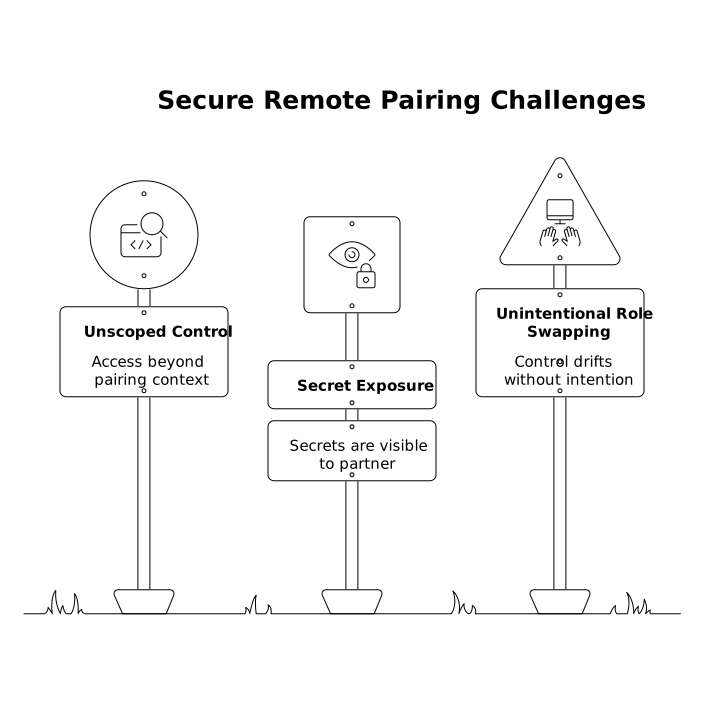
Tools that make control feel immediate reduce the temptation to “just send the repo and keys so you can run it locally.” When switching drivers is one click and latency is low, it’s easier to keep the environment centralized and safe.
Secret handling patterns that work in real sessions
The protocol is only as good as its secret hygiene. These patterns are straightforward to adopt and make pairing safer without slowing you down.
Prefer environment variables over committed config
Keep secrets out of repositories and out of shared docs. Use environment variables, injected at runtime. If you need a template, provide a safe .env.example with placeholders and clear instructions.
Redact logs and shell history by default
Many leaks happen through logs, not source files. Configure frameworks and proxies to avoid printing headers, tokens, or full request bodies. For the shell, consider minimizing history for sensitive commands and using tooling that supports redaction.
Use “narrate, don’t reveal” for privileged steps
Sometimes a workflow includes an admin action or a credential refresh. Do it yourself, explain the purpose, and keep the sensitive parts off-screen if possible. The aim is to transfer understanding without transferring access.
Make the protocol repeatable across the team
A protocol only pays off when it’s consistent. To operationalize it:
- Create a one-page checklist for the three phases: sanitize, stabilize, share.
- Standardize a “pairing entrypoint” in each repo (a doc section, script, or make target).
- Automate call events where possible (pause music, set a focus mode, open the right workspace). Tuple’s Triggers API can support these kinds of small automations around call start and end.
If you’re also thinking about how assistants and tooling decide what to show first, it can be useful to separate “tool-first snapshots” from sensitive content; the same mindset appears in structured content negotiation for LLMs. And if your pairing culture includes frequent dependency bumps, a repeatable impact scan pairs well with sessions that start fast; see a workflow to map backward-compatibility impact.
Common failure modes and quick fixes
- “It worked yesterday” drift: pin tool versions or use a dev container/lockfile strategy so the host environment remains predictable.
- Accidental tab exposure: treat app hiding and notification suppression as mandatory, not optional.
- Partner can’t do anything without the secret: redesign the step—use stubs, short-lived tokens, or host-driven privileged actions.
- Too much narration, not enough typing: use intentional driver/navigator swaps so the partner stays engaged.